Categories
Inspiration

Colors Magazine #80


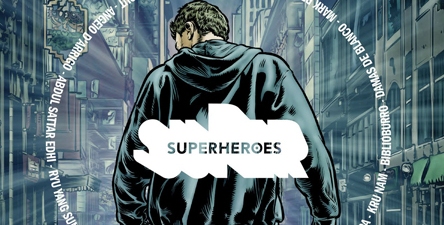
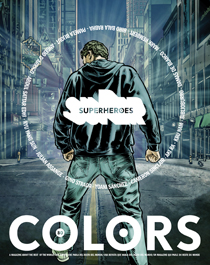
Just about every time I go to New York usually find my way into a bookstore of some kind be it Barnes and Nobel, Borders, a comic book store or some other bookstore. This past Friday I went into Borders right above Penn. Station and decided to check out the magazines. Instead of checking out the art magazine first like I normally do I went down another aisle. After reading the How Stuff Works book, which is always fun to read, I came across a comic book magazine which seemed out of place since the comics where in the aisle before.   It was titled Superheroes so I thought it would be a cool read.

It was a cool read but not in these sense that it had people with super human abilities, although their determination to do what they can for the world might seem like it to some. They were just “regular” people from around the world doing what they can for other people. What made the stories even better is that their all true stories about real people.

While waiting in borders I read about 75% of the book before I left. At the end of each story there is a page or so that goes into more detail about the story. One of the stories drew upon it’s similarities with dual identities specifically with Spider Man. The person in this story by day was a simple barber that listened to people’s problems. However by night he was the hostess at night club that was able to get everyone in the club to donate money for a woman who came to him earlier who had lost everything in a fire. There are many stories like that dealing with other people selflessly helping others the best way they can.

I would recommend anyone to pick up a copy if you can or order it from their site if you want to see some great art and some great inspirational stories about real life super heroes.  There also is an iPad app as well.
Categories
Daily 365 Motion Graphics

Designers Couch Logo Animation

I have been on Designers Couch for a while now and after looking at the logo over and over I thought why not create an animation using their logo. Thus the idea for an animation was born.  (If you don’t know what designers couch is it is online art community similar to Deviant Art but invite only with high quality work.)

My idea for this animation was to have the logo appear, then the couch form, and then text roll out. Along the way I got the idea for the particles to form the logo with a little delay bounce. I also added bounce on the couch logo part but I should have pushed it more to make it more noticeable. The text is a simple animate in with some bounce back.

The tag line I wanted to do more than slide in since I did that already so I came up with the idea to use the underscore that is part of the text to reveal the tag line then animate back under the text to form the final logo with text. The background was the last thing I added. I felt that the flat red to black gradient was too plain so I added the flat DC logo I recreated and looped it behind.

So here is my end tag of sorts using the Designers Couch Logo.  Overall it’s ok but could be better. I also think now I should do one for DA as well considering how long I have been on that site.


The awesome Ident music is by Alkis from audio jungle.


Categories
Daily 365

Designers MX Animation

If you haven’t checked out Designers.MX you should check it out. I made a previous post with some work in progress about the site so check it out for more info.

My goal with this animation was to create something that showed of the mix tape covers and in some way have them all fly int to main logo/title. In that sense I made what I wanted, however the look the I have ended with is not what I envisioned. I see many many things that I would change/fix but I needed to get this animation out of my computer so I can work on some other  stuff.

I made this in Cinema 4D using mograph for animating the mix tape covers. The mograph shader came in real handy for applying the mix covers.  The compositing I did in after effects. I wanted to try and emphasize the sound track and the music since the site is all about music so  I added the sound waves to the corners that actually go with the sound in either the left or right channel. The also get brighter/zoomy along with the whole scene when the beat kicks in.


feed back welcomed


Categories
3D Modeling Daily 365

3D Mecha NutCracker


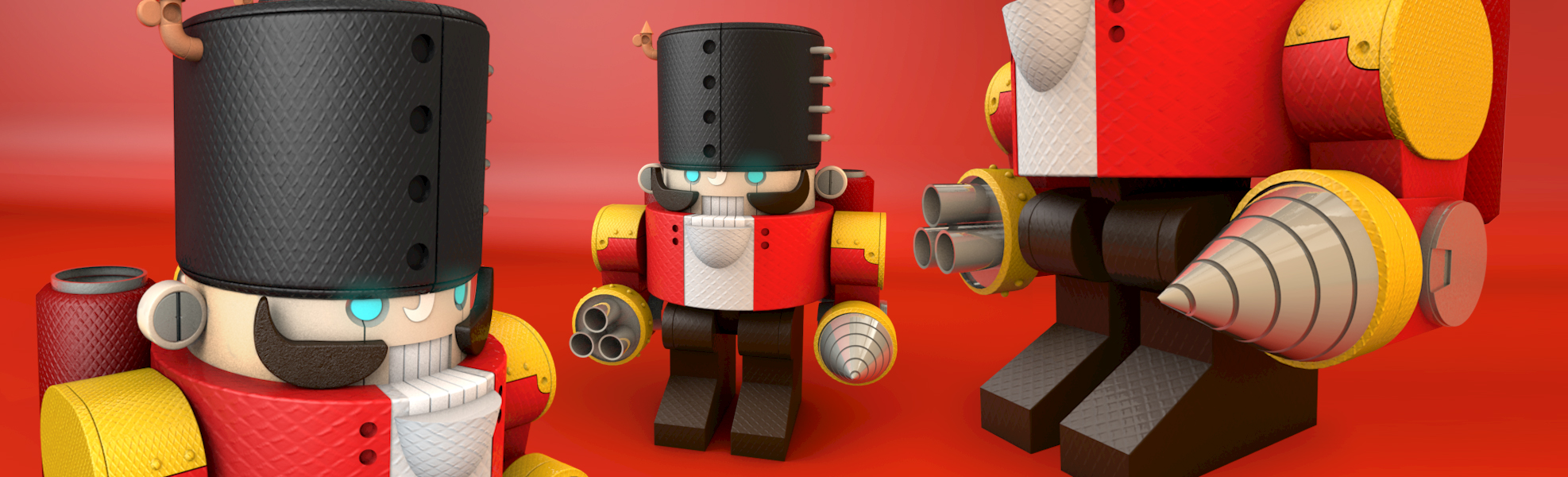
This is a 3D Model I made based off of kidchuckle’s  Mecha Nut Cracker X-mas Card.  My model is a little bit different from the original illustration since I couldn’t figure out how some parts would work together and still allow it to move. And since my end goal it to Rig it and animate it I had to keep that in mind.

The model took me quite a while working on it off and on. Getting the bump texture took quite a while to get it right. Originally I was going to go with a brushed metal effect, but it didn’t quite look right so I found this diamond bumpy texture and it worked out a lot better.  The rest of the model was composed using extruded splines that I made based of the design in side profile & primitives. The cuts I made I made with Booles or just two parts off a primitive or extruded spline.

I still see some errors that could be worked on & there are probably some things I missed but I wanted to get to the next step and make it shoot stuff and drill into something.


Also the other day I posted another model I made based off a vector design from Go Media vector pack on my Deviant Art page.


Categories
Downloadable

Source Files for DuckDuckGo Logo Animation


I was asked by Gabriel the founder of duckduckgo if I could open source the raw files so below you can download the original project that I worked with. I left all the key frames and what not in it. There are two projects files, both are the same the only diffidence is I universalized one so that it can be used one systems that don’t have English as the default language . This way the expressions don’t break.

DuckDuckGo Logo Animation

Categories
Daily 365 Inspiration Mograph Notes Motion Graphics

DuckDuckGo + Process from the Pro’s


DuckDuckGo is a new search engine that I have been using for about a week or so now. It pretty useful for get information without having to do a lot of searching courtesy of their “zero click info” box. I have yet to use 100% yet, something’s I still use google for like maps and images but there are plans to implement some of these things.

The idea for this quick logo animation just came to me for looking at their search page at their logo and thinking it would be cool to see it quack. So I decided to make a quick animation that would involve the duck quacking. I did a quick outline that involved the duck duck goose game to tell about the search engine since that where the name came from. Originally I made the re-made the logo then found their forums where they had the Illustrator version…mine was almost exactly the same.

My animation turned out ok I think, I notice now that the Go bounce looks a little off but that may just be because I’m going frame by frame. I used my copy of the The Animators Survival Kit to try to get the bouncing right. I haven’t done a bouncing ball since my third year of college.   I also noticed that the head looks a little too stiff when the duck is quacking I think adding some more movement to the top beak might have made it look even better.


The second item I would like to share is the process page of capacity If you have watched NBC or Cartoon Network there is a good chance you have seen some of their work. They have been featured on motionographer a few times but for some reason I don’t recall checking out their site. Not sure how I came across their site this time but I started looking through their site and found their gold mine of a process page which has break downs on some of their projects.

Finding out the ideas behind a project is really cool and it’s even cooler that they share their process. It is always very enlightening when you can find out the why behind the what of a project. I listed bunch in my delicious account that I just started using recently. I also listed three of breakdowns in my new fav category I created just for them.  This reminds me of perceptionnyc breakdowns that will promptly be added to my delicious soon.

Categories
Motion Graphics

Dreary Walk Final

YouTube Preview Image

This is the final version of my Dreary Walk animation. I made most of the tweaks I noted before in my last post.

Categories
Daily 365

Dreary Walk


  YouTube Preview Image

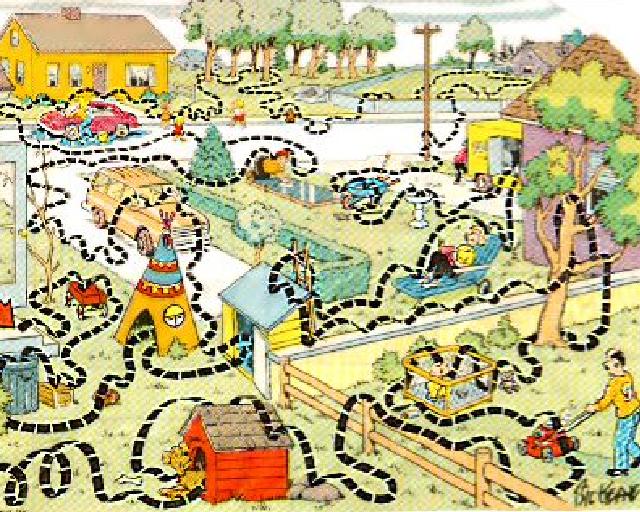
This is an match-moving animation I worked on for the PFhoe AE-Tuts Contest. My original idea was to do a family circus path line after a few lines of text. You can see a test of this on my 365 page. I was going to do this in Cinema 4D but the path looked like it was sliding awkwardly. I tried it in after effects and it looked off as well.  So I scraped that idea and went with an all text approach.

I found a good quote that went from negative to positive and animated the last word in each part. This allowed me to keep my overall idea  of going from dark and dreary to positive and happiness.  I used some color correction techniques from the Color Correction Handbook I won from AENY to try to simulate going from a dark grey scale dreary world to a lit up bright happy world. I think I should have pushed the end color more but it didn’t quite feel right the way I was going. I also added a moon in, which is hidden/blurred most of the time, some depth of field and a glow sun at the end.

I’m not sure if this will get in or not since I did submit after the deadline of midnight. For some reason I though it would be tomorrow’s midnight, which of course would be 7th not 6th. So shame on me for not understanding the due date.

Lastly for the list of all the thing I need to fix. I won’t be submitting these but it will be good just to make it more final.

  • overall text feels…odd…not sure what it is though
  • Some of the text’s fade out seem a little quick I need to adjust for that
  • I seem to have lost the depth on the Annoy letters, need to fix and re-render
  • When the JOY text comes in there a blur on the whole thing, not just the joy
  • The Joy doesn’t seem real joyous, need to add some more pop to it
  • The Joy floats back and thought I knew how I did it but apparently not and I feel like it is out place even though I liked it at first
  • end was click in the audio
  • shadows… there are none in the scene but putting stuff in the scene need shadows to make it feel there. Not sure what to do about that.


Audio from http://www.incompetech.com